
Kidswear Product Photography is the quiet difference between a store that looks like a premium brand and one that looks like a dropshipping experiment. Parents buy kids’ underwear for a child who cannot tell them how it feels, so the image has to do the job of the fabric — communicating softness, fit and safety in a single glance. This guide covers the four formats that actually drive DTC sales: flat lay, ghost mannequin, lifestyle imagery and organic UGC, plus a shot list you can hand to any photographer or shoot yourself. It is written from the factory side of the table, where we see every day how the same garment photographs brilliantly or forgettably depending on the setup.
On this page
1. Why Kidswear Product Photography Is Different
Kidswear product photography is different because the buyer and the wearer are two different people. The image must reassure an adult about fit, safety and durability while also feeling soft, playful and appropriate for a child — a balance adult apparel photography never has to strike.
In adult fashion, the person looking at the photo is the person who will wear the garment. In kids’ underwear, the person looking is a parent making a proxy decision. That changes the brief entirely. The photo is not selling aspiration; it is selling reassurance — that the waistband will not dig in, that the fabric is gentle on skin, that the garment is well made and worth the price.
This is why the classic ecommerce playbook of “one hero shot, two detail shots” underperforms for kids’ basics. A parent wants to see how the garment sits, how the elastic is finished, and how the fabric drapes, because those are the details that predict whether a child will wear it without complaint. Kidswear photography is a trust exercise disguised as a visual task.
Two practical consequences follow. First, consistency matters more than artistry: a grid of products shot with the same background, the same light and the same scale signals a serious brand, while a mixed grid signals a reseller. Second, accuracy matters more than beauty: a colour that photographs differently from the delivered product produces returns and reviews that a pretty photo will never recover.
2. Flat Lay: The Workhorse Format for Kids Underwear
The flat lay is the single most useful image format for kids’ underwear, because it shows the full garment, the true colour and the construction details without the distraction of a body. Shoot every product as a flat lay first, then add the other formats around it.
For small, structured garments like briefs and boxer briefs, the flat lay is not a stylistic choice — it is the clearest way to show what the customer is buying. A folded or hanging pair of underwear communicates almost nothing; a flat pair shot from directly overhead communicates the rise, the leg opening, the waistband width and the print in one frame.
A good flat lay is built on a few repeatable rules:
- Shoot from directly overhead with the camera parallel to the surface, so the garment is not distorted by a low angle.
- Use one consistent background across the whole catalogue — a light neutral is safest, because it lets the colours read true.
- Keep the scale consistent by shooting every size from the same height, so the grid looks uniform.
- Style minimally — a colour card and a soft fold at the waistband are enough; props distract from the product.
- Shoot the back too, so the customer can see the seam construction and any label placement.
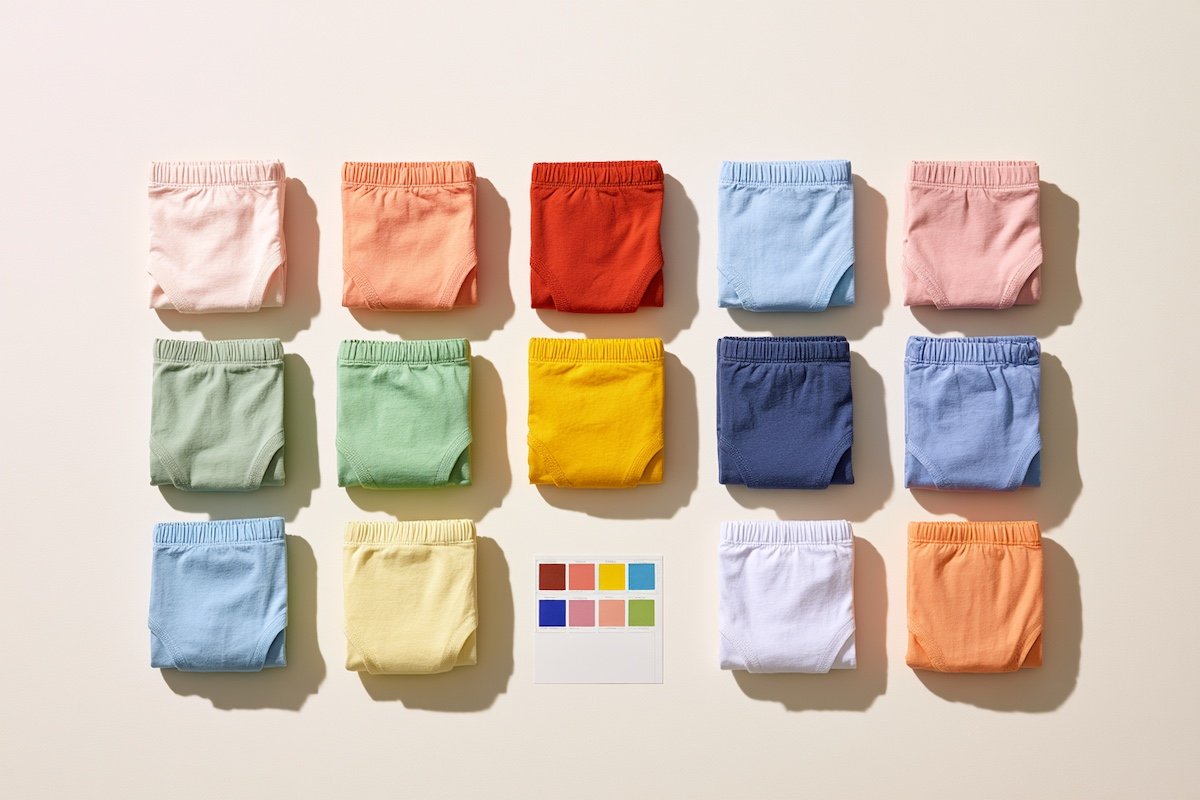
Flat lays also do double duty. The same image that sits on the product page can be cropped for collection tiles, reused in email and repurposed for social — which is why getting the flat lay right first saves a brand the cost of reshooting for every channel.
3. Ghost Mannequin and Hanger Shots
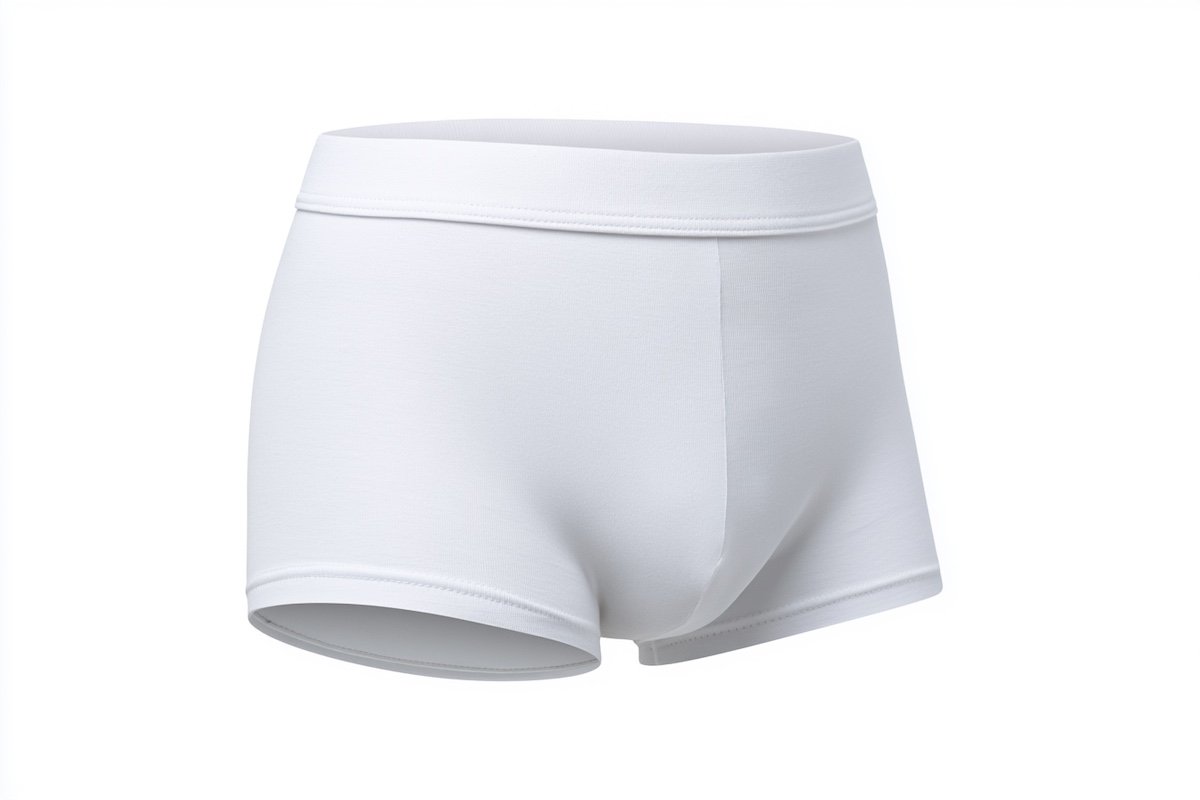
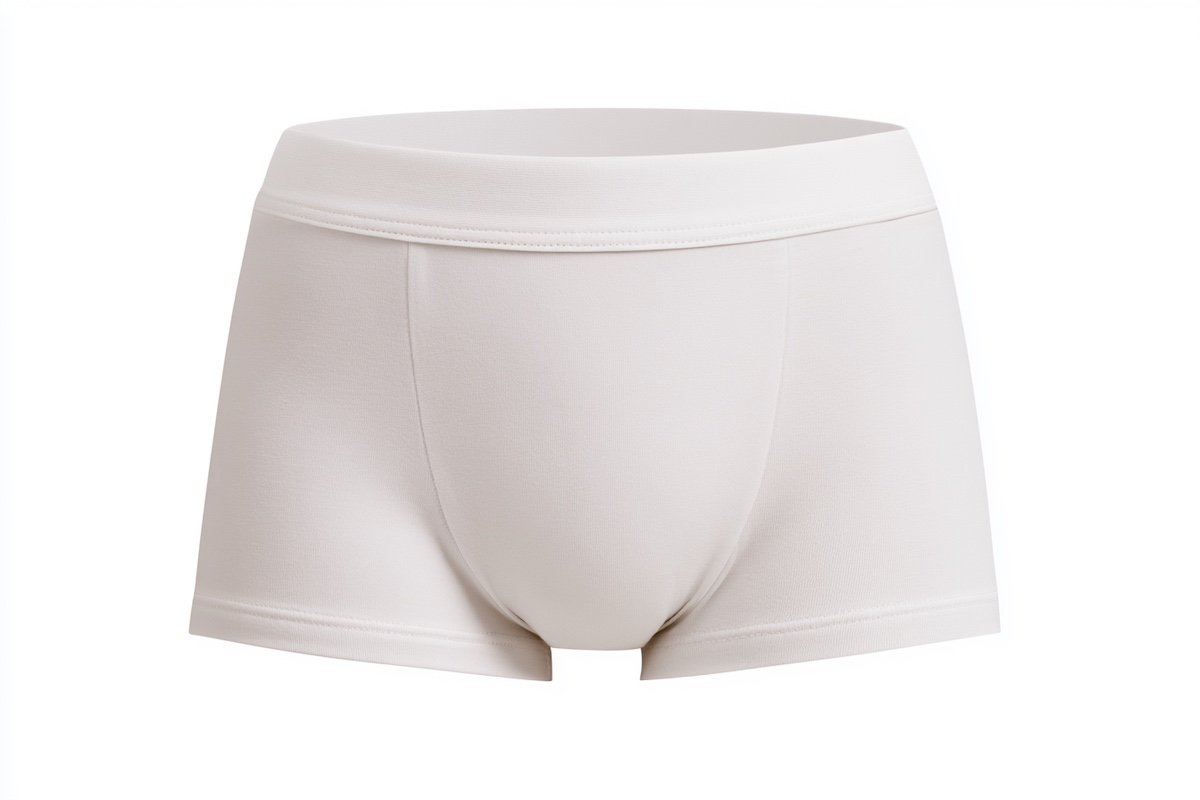
Ghost mannequin shots show how a garment holds its three-dimensional shape without the distraction of a model, and they are ideal for the “how it sits on the body” question. Hanger shots are useful as secondary images but rarely strong enough to lead a product page.
The flat lay answers “what is it?”; the ghost mannequin answers “how does it fit?” A ghost mannequin image is produced by shooting the garment on a mannequin and then removing the mannequin in post-production, leaving a hollow three-dimensional form. For kids’ underwear it is especially valuable, because it shows how the waistband sits and how the leg openings are cut in a way a flat pair cannot.
The trade-off is production cost. Ghost mannequin photography requires a mannequin in the right child size, careful lighting to avoid shadows inside the garment, and skilled retouching to remove the form cleanly. For a small launch, it is reasonable to reserve ghost mannequin shots for hero products only, and cover the rest of the range with flat lays.
Hanger shots are the budget option, and they should be treated as exactly that. A pair of underwear on a hanger reads as “inventory” rather than “product,” and it hides the very details — the waistband, the leg elastic, the print placement — that a parent wants to inspect. Use hangers for a casual behind-the-scenes social post, not for the product page.
| Format | Best for | Cost to produce | Use it for |
|---|---|---|---|
| Flat lay | Showing the full garment and true colour | Low | Every product page, collection tiles |
| Ghost mannequin | Showing three-dimensional fit and structure | Medium to high | Hero products, homepage features |
| Hanger shot | Quick, casual content | Very low | Social posts, not product pages |
| Lifestyle | Showing the garment in real use | Medium to high | Homepage, ads, brand storytelling |
| UGC | Authentic social proof | Low to free | Reviews, galleries, ads |
4. Lifestyle Imagery That Sells the Feeling
Lifestyle imagery sells the feeling — a child comfortable at home in soft cotton — rather than the spec. Use it on the homepage, in ads and in brand storytelling, but keep the product page anchored by the flat lay and ghost mannequin, which do the actual selling.
Lifestyle photography is where a kids’ underwear brand builds its personality. A child laughing in soft morning light wearing a simple cotton brief communicates something no flat lay can: that this product belongs in a comfortable, ordinary, happy childhood. That emotional frame is what turns a commodity into a brand.
But lifestyle imagery is expensive and easy to get wrong. The common failure is the over-produced shoot — studio lighting, stiff poses and a child who looks like they are modelling rather than living. For kids’ basics, the most effective lifestyle images feel candid: natural window light, a lived-in room, a child being a child.
A few guidelines keep lifestyle shoots on budget and on brief:
- Use natural light and real environments rather than a studio, which reads as authentic for a basics brand.
- Shoot a small set — three or four scenes is enough to populate a homepage and a few ads.
- Keep the product visible but secondary; the child and the feeling lead, the garment follows.
- Observe child-work rules wherever you shoot — use a professional child model with proper consent and supervision, and keep sessions short.
5. UGC: Turning Customers into Your Photo Team
User-generated content is the highest-trust imagery a kids’ brand can publish, because it comes from another parent rather than from the brand. Collect it through a post-purchase request, run it through a permission step, and feature it in reviews, galleries and ads.
For kids’ products, UGC carries unusual weight. A parent who sees another parent’s photo of a real child in the product is seeing proof that it fits, wears and washes well — proof the brand itself cannot manufacture. This is why UGC consistently outperforms polished brand photography in paid social, and why the brands that treat it seriously build a compounding asset.
Collecting UGC is a process, not a hope. The reliable path is a post-purchase email that asks the customer to share a photo, usually in exchange for a small credit or entry into a monthly giveaway. The key legal step is permission: always obtain written consent to reuse the image across your channels, and store that consent with the file.
Once collected, UGC has four natural homes:
- The review section — photos attached to reviews are the most persuasive block on the product page.
- A dedicated gallery — a “seen on real kids” collection that proves the product in the wild.
- Paid social ads — UGC-style creatives frequently outperform studio shots on conversion.
- Email campaigns — a real customer photo breaks the polish of a promotional email and lifts engagement.
6. A Shot List for a Kids Underwear Launch
A launch-ready kids underwear catalogue needs, per product: one flat lay of the front, one of the back, one detail shot of the waistband, and one colour-accurate hero. Across the range, add a handful of lifestyle shots and start collecting UGC from day one.
Shot lists exist to stop a brand from arriving at launch day with one hero image and a panic. For kids’ underwear, the list is short and repeatable, which means it can be templated and handed to any photographer or shot in-house with a phone and a window.
The per-product minimum:
- Front flat lay — full garment, true colour, consistent background.
- Back flat lay — seam construction and label placement visible.
- Waistband detail — a close-up showing the elastic finish and any print.
- Colour hero — a single clean image that represents the colourway in the grid.
The range-level minimum:
- One lifestyle shot per key style — enough for the homepage and a few ad creatives.
- One ghost mannequin per hero style — for the products you expect to carry the launch.
- A consistent colour card — a small swatch placed in every flat lay to anchor colour accuracy across the shoot.
If you are producing the garments with a factory, ask for photography samples up front. A manufacturer can usually supply pressed, colour-accurate samples specifically for the shoot, which removes the risk of photographing a worn or creased piece and mistaking its colour.
7. Editing, Colour Accuracy and Post-Production Rules
Edit for colour accuracy first and style second. Calibrate your screen, shoot with a grey card, correct the white balance before anything else, and keep the catalogue consistent. A photo that flatters the product but misrepresents the colour is a return waiting to happen.
Colour accuracy is the single most important editing rule in kids’ apparel, and the single most ignored. A parent orders a “soft blue” pair and receives a “dusty teal” pair, and the brand eats the return, the review and the customer. Every step of the post-production process should be in service of making the image match the shipped product.
The workflow that keeps colour honest:
- Calibrate the monitor — an uncalibrated screen makes every colour decision wrong.
- Shoot with a grey card in at least one frame per scene, and use it to set white balance.
- Correct exposure and white balance first, before touching saturation or contrast.
- Match the image to a physical swatch — hold the garment or a lab-dip next to the screen and adjust until they agree.
- Apply one consistent preset across the catalogue, so the grid reads as a single brand.
| Step | What it corrects | Why it comes first |
|---|---|---|
| White balance | Colour cast from the light source | A wrong cast throws off every other decision |
| Exposure | Overall brightness | Dark images hide fabric detail |
| Swatch match | Colour accuracy versus the real product | Prevents returns from colour mismatch |
| Consistency preset | Uniform look across the catalogue | Makes the grid read as one brand |
| Retouching | Dust, creases, stray threads | Polish without changing the product |
The last row deserves a warning. Retouching should remove dust and creases, not alter the garment. A waistband that has been digitally tightened, or a colour that has been pushed, is a misrepresentation that compounds across a catalogue. The honest image is also the commercially smart one: a product that photographs exactly as it ships is a product that reorders cleanly and reviews well.
Great photography starts with a product that photographs well — consistent colour, clean construction and a finish that holds up on camera. Email info@nuohuagarment.com or WhatsApp +86 150 1198 5393 to request photography samples with accurate colour matching, and our team will send a sampling plan with real lead times.